Platform Concepts
🌐 1. The Project Containers
Website
The unique project instance that contains website settings, pages, blocks, and content that is ultimately linked to a specific domain.
Recipe
A pre-packaged combination of blueprints, pages, and blocks that is used to instantly deploy fully-formed website(s).
Collections
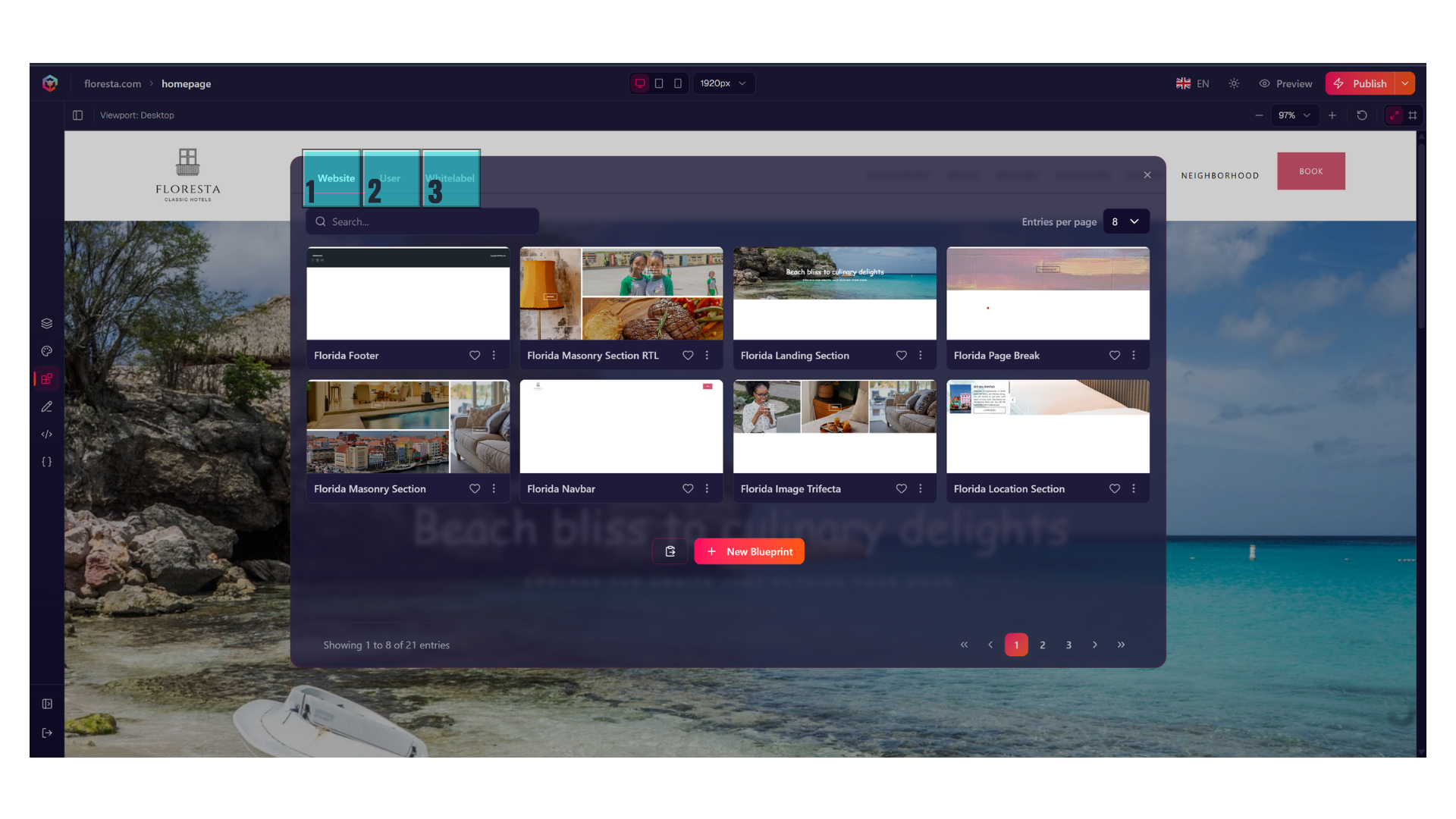
A contextual storage space for blueprints that is accessible from within the website and recipe context. In general,
there are at least 3 collections you have access to by default:
-
1. Website collections. These are blueprints that will stay within your website's context.
-
2. Your collections. These are blueprints that will stay within your own personal collection, and can be used elsewhere.
-
3. Organization-wide collections. These are blueprints that will stay within your organization's context, and can be used elsewhere.
📐 2. Blueprints
Blueprints contain the code and the Element definitions that are used to populate Content in Blocks. Blueprint code is created and modified in the Blueprint Editor.
Blueprint Editor
In the Blueprint Editor, compilation and execution of the code happens with every keystroke. The code is then compiled natively as a high-performance Svelte 5 component. This allows you to use powerful front-end looping, logic blocks, and reactive state expressions without any local toolchain configuration.
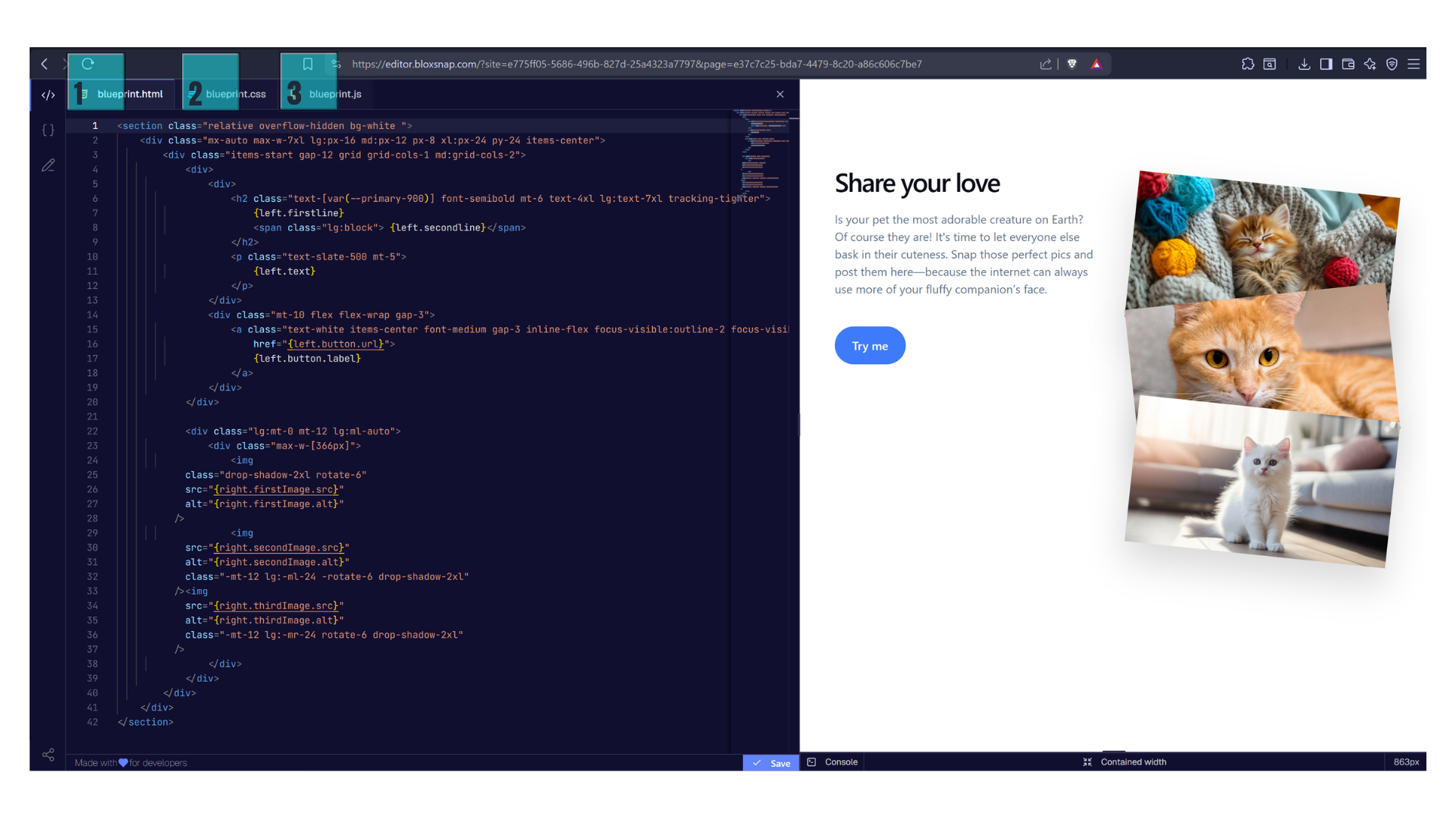
- 1. This is the
blueprint.htmlcode. - 2. This is the
blueprint.csscode. - 3. This is the
blueprint.jscode.
Because our compilation layer is built on modern web standards, you can dynamically pull almost any external
third-party package from any global CDN (such as JSDelivr, unpkg, or esm.sh). The only constraint is that the
target package must utilize native ESM syntax. This completely bypasses the need for local npm install routines,
complex deployment pipelines, or heavy build tooling—the browser resolves the dependency tree natively right inside
your tab.
Blueprint -> Blocks relationship
📐 BLUEPRINT
 ├── 📝 Structure: HTML / CSS / JS
 ├── 🏷️ Element : Definition of Variables used inside the structure
 └── 💡 Content:  Value of the elements (usually default / demo content)
      │
      ▼ (instantiated on a webpage canvas)
      │
📦 BLOCK
 ├── ❌ Code:     NONE (Inherited implicitly from Blueprint)
 ├── 🗂️ Element Definitions: Inherited from Blueprint, dictating layout parameters
 └── ✏️ Content State:        Populated with unique, instance-specific local text/media
Elements
The individual, atomized component or input field (like a specific button, text heading, or image container) that sits inside a Blueprint and defines the Content fields for a Block.
🧩 3. The Visual Canvas
Block
A modular layout section (like a Hero banner or a features grid) that you stack vertically to assemble a page.
When a Blueprint is added to the page, it becomes a Block.
Content
The raw data (the actual words you type or images you upload) that populates an element as defined by the Element schema inside the Blueprint.