SEO & Metadata
Most of the time, you're publishing your website on the Internet because you want it to be found. Search Engine visibility is all about giving crawlers and scrapers clean data in the most understandable format possible.
Starting with the basics, this guide covers how to configure global fallbacks for metadata, fine-tune the specifics for individual pages, manage rich social previews, and configure your own microdata.
🌐 Site-wide SEO
Site-wide configurations act as the default (or fallback) behavior that determines how search engines like Google read your website. Site-wide settings will be shown even when the data for a particular page is missing.
You can learn more about what's possible in the Website Workspace here.
Global Search & Social Configurations
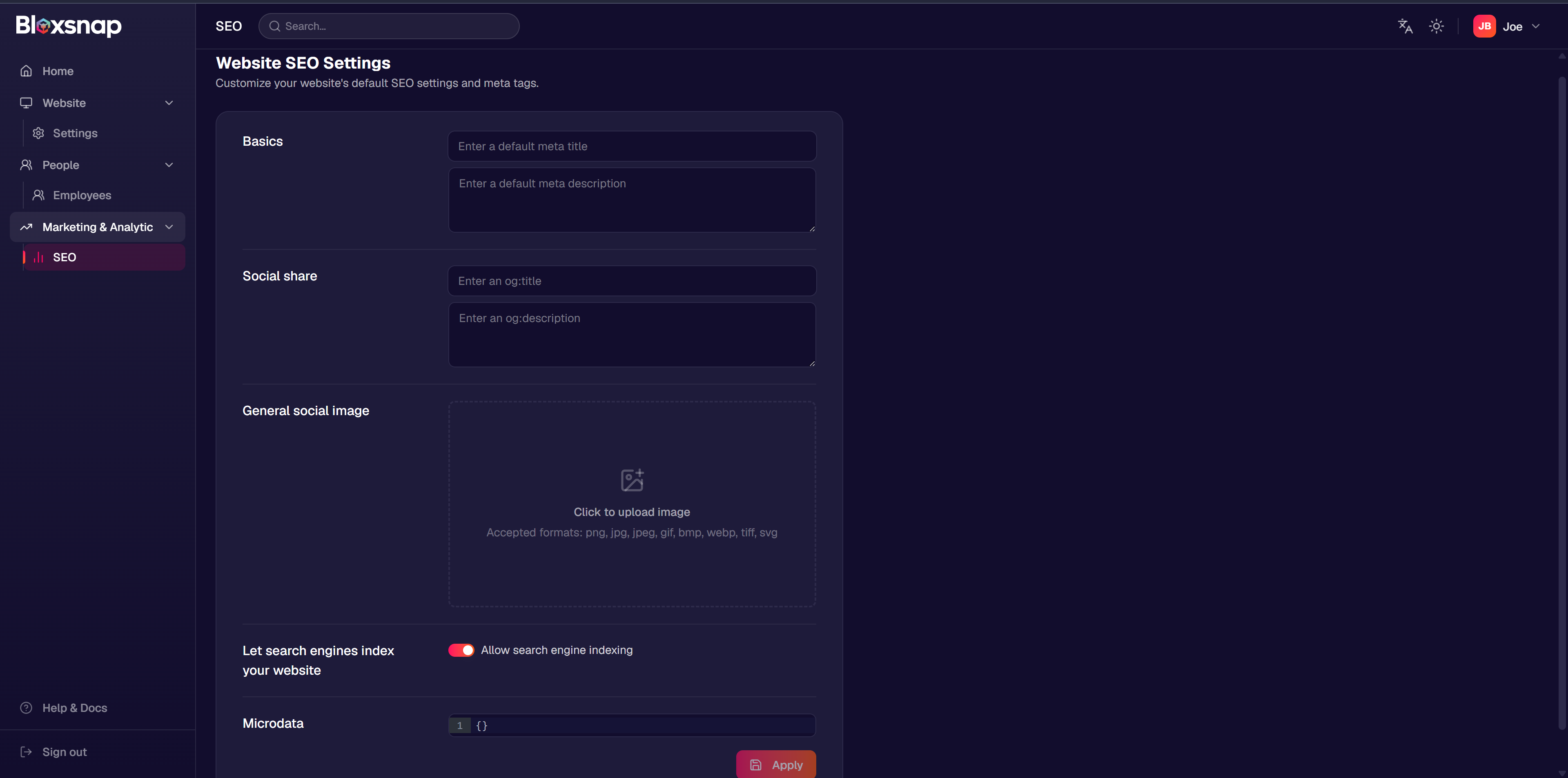 Site-wide defaults for titles, descriptions, Open Graph assets, and microdata are configured directly in the Website
Dashboard.
Site-wide defaults for titles, descriptions, Open Graph assets, and microdata are configured directly in the Website
Dashboard.
Site-wide SEO configurations serve as a global fallback across your entire website, regardless of language. Defining page-specific SEO overrides is crucial for multilingual sites to ensure each localized page displays the correct regional metadata in search results.
🎛️ Page-level Overrides
While global settings protect your fallbacks, fine-tuning SEO metadata individually per page is critical for proper indexing.
Accessing Individual Page Settings
Inside the Website Editor, click the 3 dots icon next to any page in the Pages modal and select Edit.
Page-level Search Optimization (SEO)
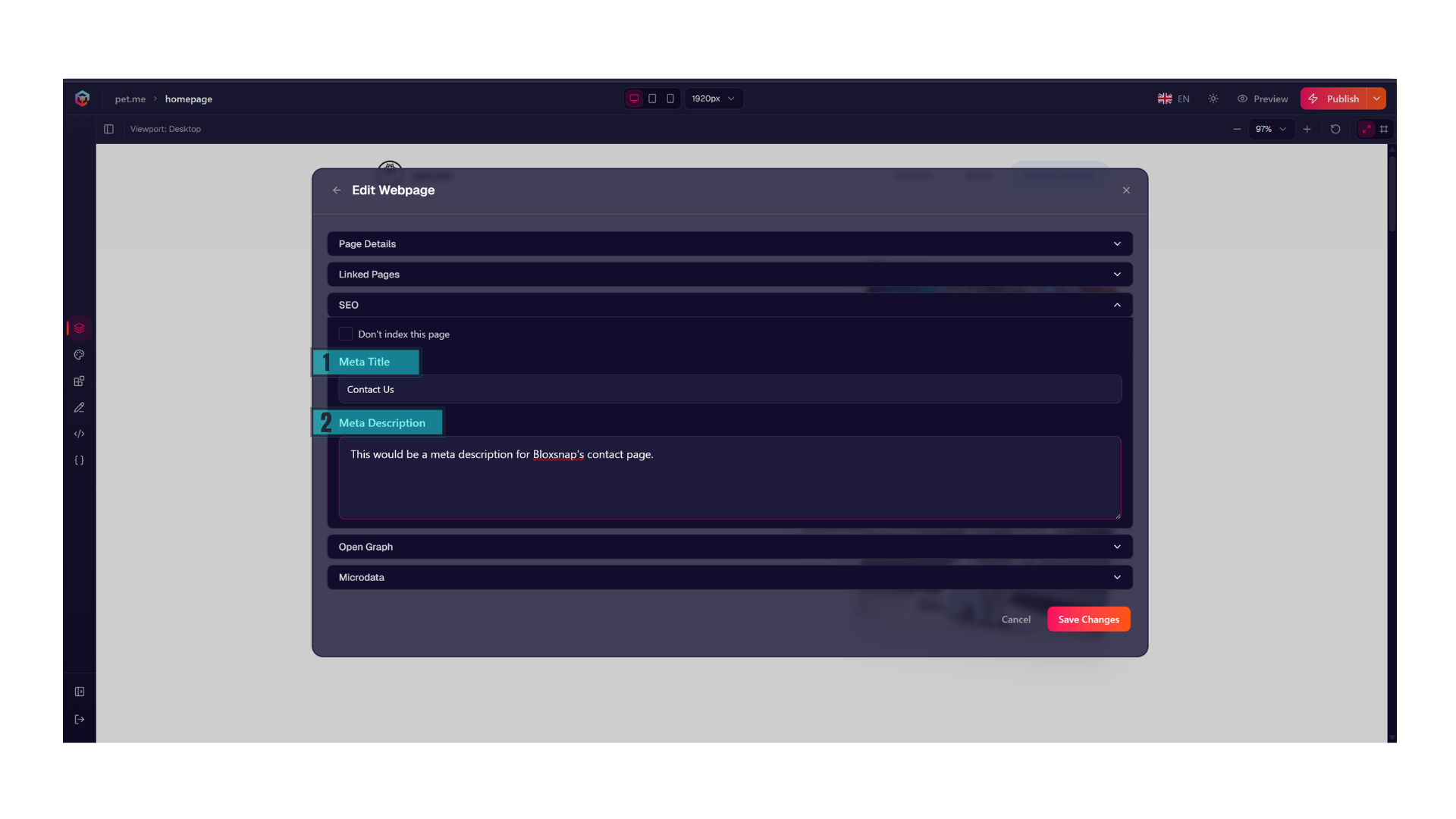
- Meta Title: The primary title displayed on browser tabs and search engine results pages. Keep this under 60 characters to prevent clipping.
- Meta Description: A concise summary of the page's content that appears beneath your link in Google search results. Aim for 150–160 characters.
- Indexing: Check the Don't Index This Page box if you want to explicitly prevent search bots from
indexing this page, given they respect
robots.txt.
Page-level Open Graph (Social Sharing)
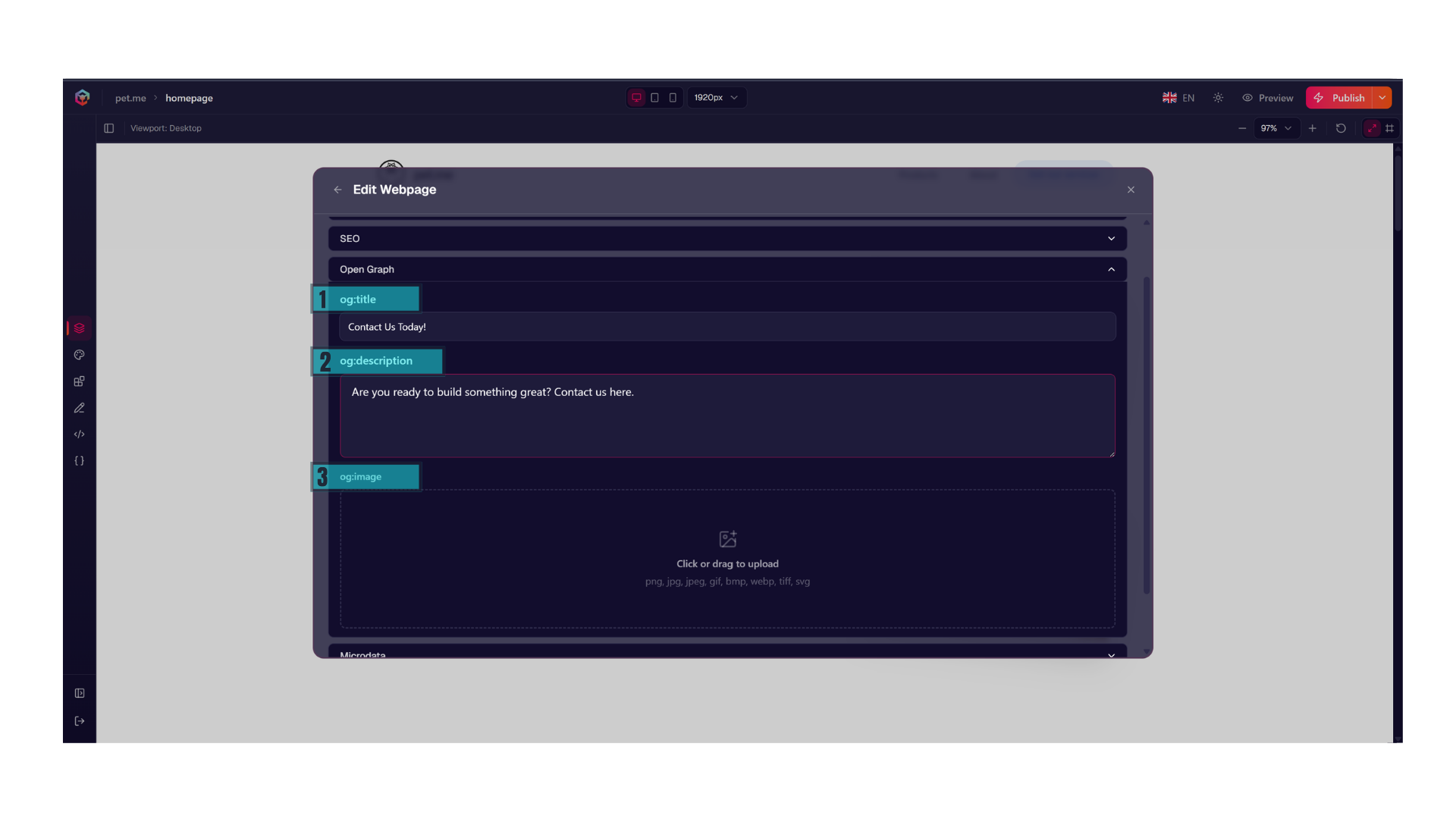
- Open Graph Title: The specific title that displays when your link is shared on social platforms.
- Open Graph Description: The summary text that displays alongside your link on social timelines.
- Open Graph Image: Drop a visual tile into the og:image slot. This ensures that when someone pastes your page link into Slack, LinkedIn, or X (Twitter), a rich-media preview card generates instead of a blank text block.
Microdata & Custom Schema
Structured Data (Microdata) is explicit semantic code added to your website to help search engines understand the exact context of your content.
Microdata is limited to 4096 characters.
Instead of forcing crawlers to guess what your data means, passing structured markup (like JSON-LD) allows search engines to accurately index your pages and generate rich snippets (such as product prices or review stars) directly in the search results.
<script type="application/ld+json">
{
  "@context": "[https://schema.org](https://schema.org)",
  "@type": "Article",
  "headline": "Page Specific Title"
}
</script>
🚀 What Happens After Publishing
Whenever you publish your website, Bloxsnap handles some of the manual work for you to ensure that search engines can immediately crawl and understand your site.
robots.txt
Bloxsnap serves a standard, clean robots.txt file at your root domain to instruct search engine crawlers on how to
navigate your site. This file honors your page-level Don't Index This Page settings and explicitly points crawlers
directly to your locale-specific sitemaps.
For multilingual sites, the platform dynamically lists each language-specific sitemap index:
User-agent: *
Disallow:

Sitemap: https://domain.ltd/sitemap.en.xml
Sitemap: https://domain.ltd/sitemap.de.xml
Automatic Sitemap Generation
Every time you publish, Bloxsnap dynamically generates and updates a production-ready sitemap.xml file at your root
directory (e.g., https://domain.ltd/sitemap.en.xml).
- Dynamic Indexing: Newly created pages are automatically added to the sitemap, while deleted or draft-state pages are instantly pruned.
- Crawler Notification: Search engine crawlers are automatically signaled to re-index the updated sitemap, ensuring new content or structure updates are crawled as quickly as possible.
Localization Alternates (hreflang Tagging)
If your website uses our multi-language engine, managing search indexing can be notoriously complex. To prevent search
engines from penalizing your site for duplicate content, Bloxsnap automatically injects hreflang tags into the header
of every localized page.
-
Explicit Relationships: If a visitor or crawler lands on
/about-us, Bloxsnap serves a behind-the-scenes header pointing search engines to the Spanish alternate at/es/about-us. -
Search Engine Accuracy: This ensures search engines like Google correctly serve the Spanish page to Spanish-speaking searchers and the default English page to English-speaking searchers.
🖊️ Publishing Blocks
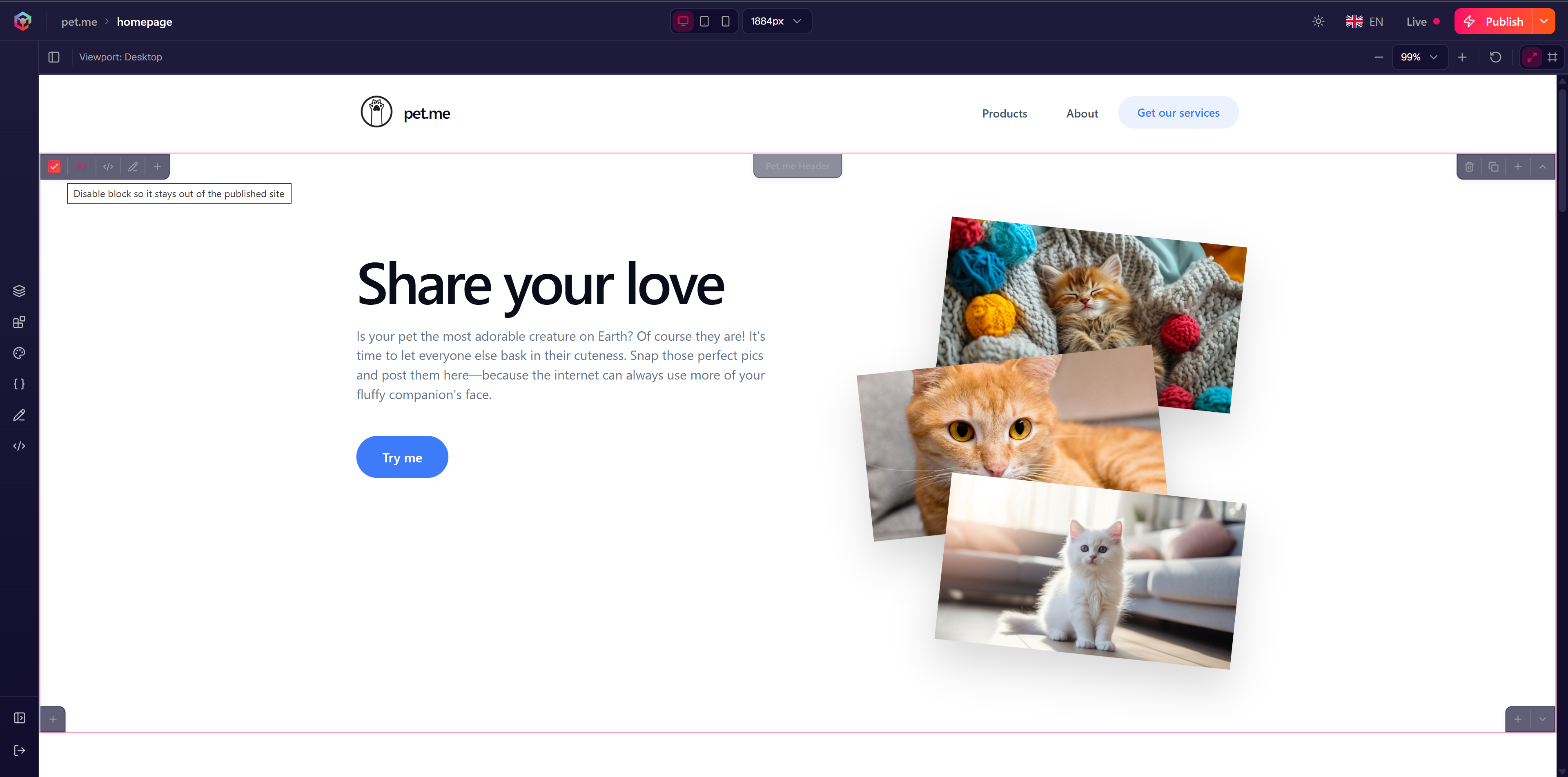
If you aren't ready to publish a specific block but would like to keep in your page layout, you can uncheck the block publishing control in the left corner of the block.